
Back

Cold Turkey doesn't
run on iPhone. Fella does.

Cold Turkey is a Windows and Mac desktop blocker with no official iOS app. Fella brings that same locked-by-default philosophy to iPhone, with one 5-minute unlock per session.

Trusted by 500+ people
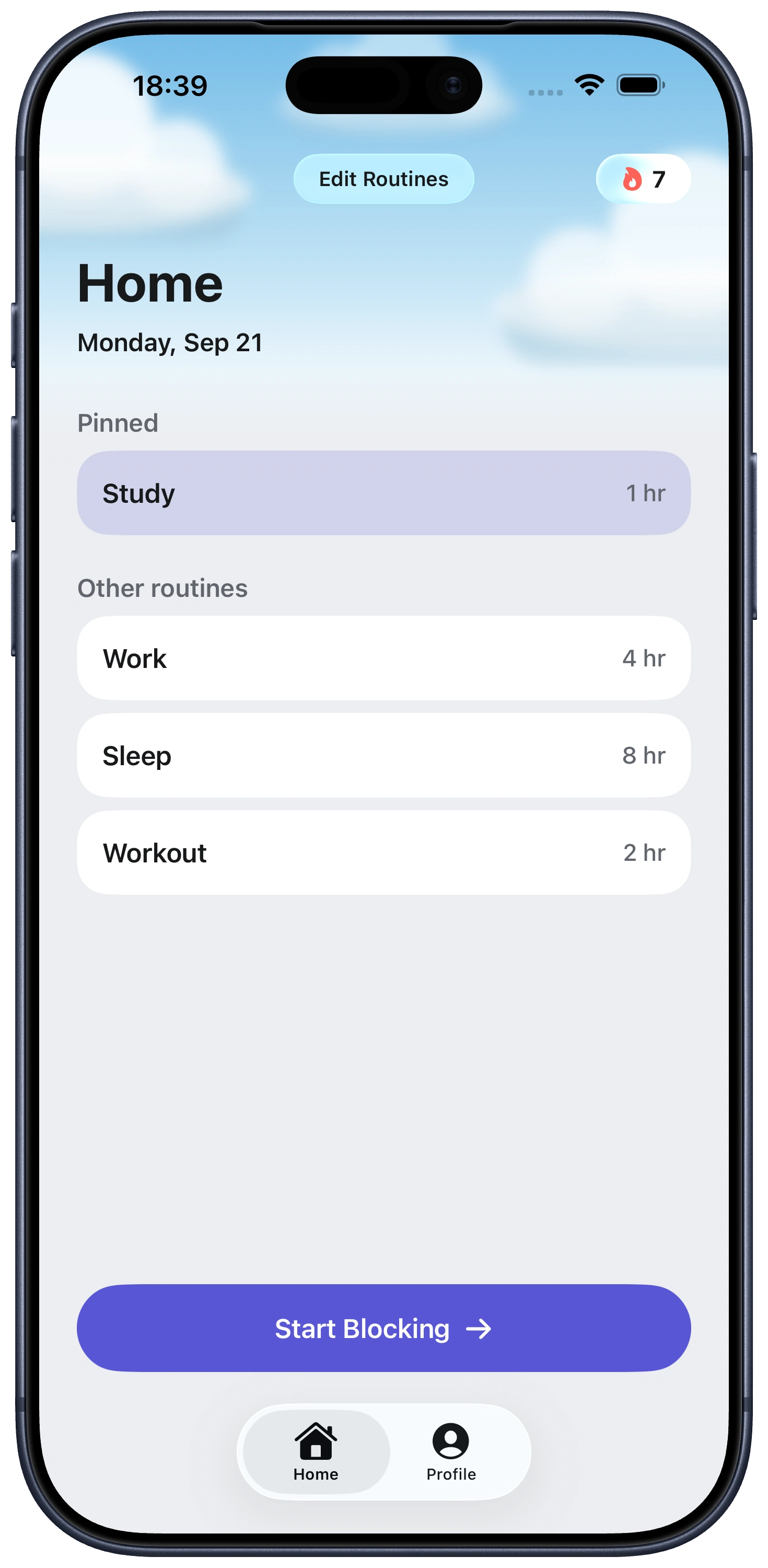

Fella, up close.

  • Built with Apple’s Screen Time controls.
  • One 5-minute emergency unlock per session.
  • Apps stay blocked by default.

Everything you need to stay focused, right from Home.

Fella Home screen showing focus routines and session lengths
Matthew KFounder, FellaComparison

Cold Turkey has a well-earned reputation as one of the strictest blockers available, locked schedules, a "Frozen Turkey" mode that can't be undone until it expires, blocks that survive a computer restart. It's a genuinely serious tool for people who've tried softer app limits and needed something that doesn't bend. The catch, for a lot of people searching for it, is that it's built for Windows and Mac. There's no official Cold Turkey app for iPhone.

That leaves a real gap for anyone whose actual problem lives on their phone, not their laptop. Fella isn't a port of Cold Turkey, it's a separate iOS app built specifically around Apple's Screen Time framework, but it shares the same basic philosophy: the block is the default, and getting around it isn't a single tap.

Frozen Turkey doesn't block an app. It locks the whole computer

This is the feature that gives Cold Turkey its reputation. Activate Frozen Turkey and your screen locks entirely, not just the browser tab or app you were trying to avoid. Try to log back in before the timer runs out and it locks itself again immediately. There's no settings menu to sneak into, because the whole machine is unreachable.

It's a genuinely severe tool, and that's the point. Cold Turkey Pro, which includes Frozen Turkey along with app blocking and scheduling, is a one-time $39 purchase with a free 7-day trial to test it first. No subscription, ever.

None of it runs on the device most people actually struggle with. Frozen Turkey locks a computer. Fella locks the specific apps on the iPhone that stay in your pocket all day, using the same all-or-nothing instinct on the platform where distraction usually actually happens.

At a glance Fella Cold Turkey
iPhone app Yes No official iOS app
Platform iOS, Screen Time based Windows and Mac desktop
Pricing $9.99/mo or $34.99/yr $39 one-time (Pro)
Strictest mode locks Selected apps The entire computer
Exception 5 minutes, once per session Scheduled unlock windows

Why people land on Fella instead

It actually runs on the device causing the problem. For most people struggling with distracting apps, that device is an iPhone, not a desktop. Fella works where the compulsive checking actually happens. You can also compare the current no-cost choices in our free iPhone app blocker comparison.

Same strict-by-default instinct, built for Apple's platform. Fella uses Apple's Screen Time and Family Controls frameworks to keep selected apps locked, with one 5-minute emergency unlock per session that closes itself automatically, no bypass toggle, no "just this once" setting.

One rule instead of a schedule to configure. Cold Turkey's strength on desktop is its depth, custom schedules, frozen modes, block lists per project. Fella deliberately trades that depth for simplicity: pick your apps once, and the block just holds.

Where Cold Turkey might be the better fit

If your distraction is actually on your laptop, a browser tab open in another window, a game installed on your desktop, Cold Turkey's severity and one-time price are hard to argue with. Nothing on iPhone matches Frozen Turkey's total lockout.

Fella is for the device Cold Turkey doesn't reach. If the apps pulling at you live in your pocket, not on a desk, that's the specific gap a Screen Time-based iOS blocker closes and a desktop tool never will.

Fella vs Cold Turkey FAQ

Own Your Attention
Starting Right Now

Trusted by 500+ people